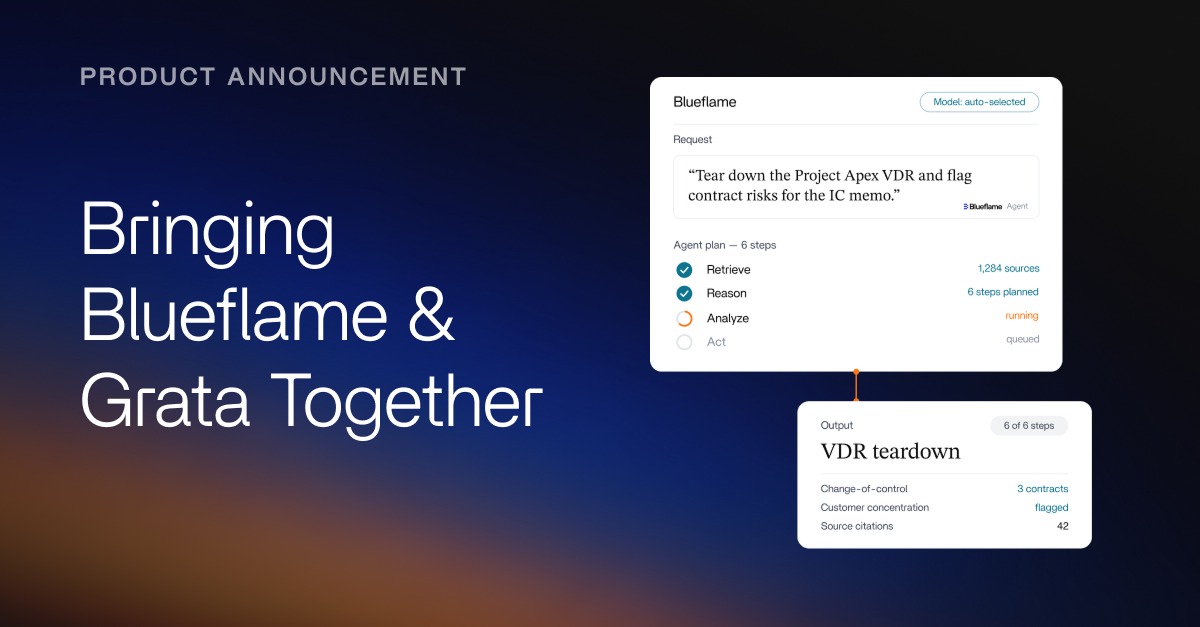

Over the last few weeks, we shipped five major updates to Blueflame AI: Amp, Skills, our Excel add-in, Spaces, and our Preqin integration.
Each release is designed around a practical reality we hear from dealmakers and investment firms every day: the work is not short on information, but it is often slowed down by finding the right context, moving across tools, recreating analysis, and turning raw materials into decision-ready outputs.
With these launches, we are making Blueflame AI a more complete AI layer for dealmaking - helping firms move from fragmented information to sharper analysis and finished work product with less friction.
Amp: move from prompting to progress
Amp, Blueflame's AI agent for dealmaking, is built to help users move through multi-step investment work without having to manually coordinate every part of the process.
Instead of asking users to gather every file, choose the right model, write the perfect prompt, and assemble the output themselves, Amp brings together the right context, tools, models, connected data, and Skills for the task at hand. That makes it easier to move from a question to a usable work product, whether the job is screening a CIM, drafting diligence questions, preparing IC materials, reviewing a data room, summarizing portfolio updates, or analyzing a market.
See Amp in action:
Amp is built to keep users in control while reducing the operational drag around the work, so dealmakers can spend more time applying judgment and less time managing the mechanics of getting AI to produce something useful.
Skills: make great work repeatable
With finance-specific skills, firms can turn their preferences and processes into reusable AI playbooks.
Skills give Amp structured instructions for how work should be done, what context matters, what standards to follow, and what the final output should look like. Blueflame AI now includes 40+ prebuilt skills across sourcing, screening, origination, modeling, diligence, monitoring, and reporting, giving users a faster starting point for common investment workflows.
Firms can also create custom skills that reflect their own templates, investment criteria, language, and review processes. That means work does not have to depend on every user knowing how to write the same prompt or recreate the same workflow. A firm's preferred way of working can be encoded once and reused across deals, users, and deliverables.
Excel add-in: keep modeling work in Excel
The Blueflame AI Excel add-in brings AI directly into the spreadsheet, where much of the work already happens.
Finance professionals already spend much of their day in Excel. They should not have to export, upload, download, and reconcile files just to use AI in a model. With the add-in, users can query, build, audit, and iterate directly inside Excel, keeping modeling and analysis in the environment where the work already happens.
Users can review formulas, check assumptions, draft LBO models, complete DDQs, analyze KPIs, and cross-check diligence materials against the workbook they are using. By connecting spreadsheet work to broader Blueflame AI context, including internal files, data rooms, CRM records, emails, and other firm-approved sources, the add-in helps dealmakers move faster without separating the model from the materials that inform it.
Spaces: preserve context across projects
Spaces give every deal, company, project, or initiative a shared home in Blueflame AI.
Investment work builds over time. Files, notes, chats, diligence findings, market research, and drafts all accumulate across multiple sessions and multiple people. Spaces keep that context organized in one place, so users do not have to repeatedly upload materials, re-explain what matters, or search across disconnected threads to understand where the work stands.
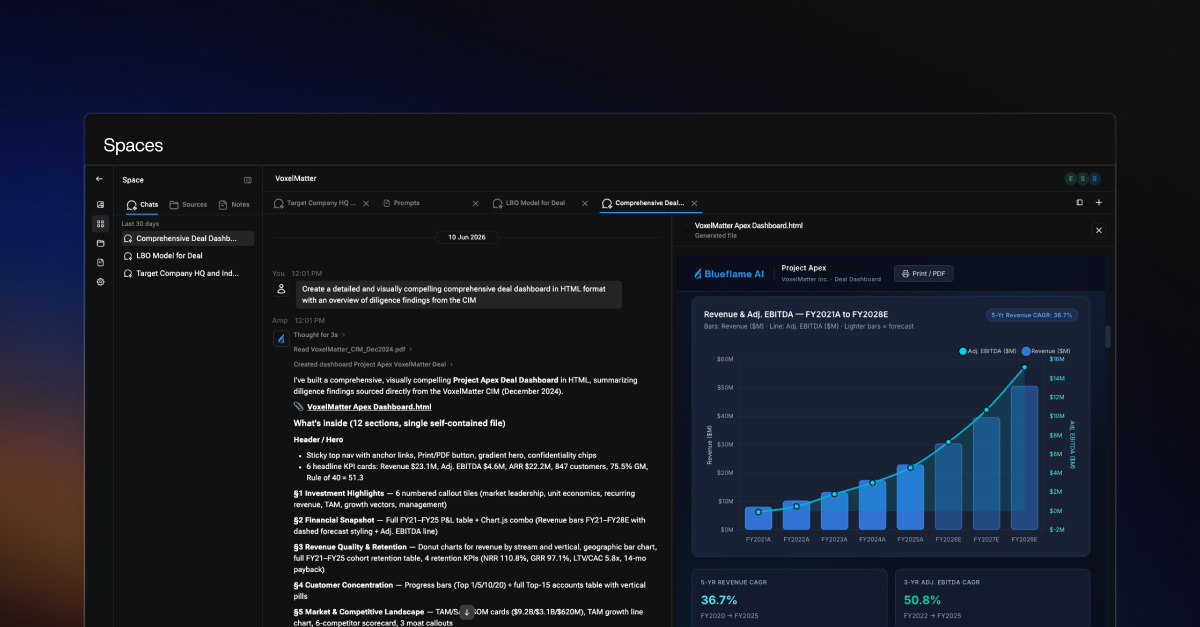
A Space can contain relevant files, connected sources, notes, chats, and outputs. As more work happens inside the Space, the context compounds, making it easier for firms to pick up where they left off, collaborate with less friction, and preserve institutional knowledge as work moves forward.
Preqin integration: bring private-markets data into the workflow
Our Preqin integration brings private-markets intelligence directly into Blueflame AI workflows for mutual customers.
Instead of searching for data in one system, exporting it, and then analyzing it somewhere else, users can work with Preqin data inside Blueflame AI alongside internal notes, files, and other connected sources. That makes private-markets research easier to apply directly to the work at hand, from fund benchmarking and LP targeting to diligence, market mapping, and private-company research.
By combining trusted external data with proprietary firm context, the integration helps dealmakers and investment firms move from data gathering to analysis more quickly, while keeping the work inside a governed, AI-native workflow.
The bigger picture
These releases are connected by the same product direction: Blueflame AI should help dealmakers and investment firms turn fragmented information into finished work product with less friction.
Amp helps users make progress across complex workflows. Skills make high-quality work repeatable. The Excel add-in brings AI into the spreadsheet. Spaces keep project context intact. Preqin adds private-markets data where users are already working.
Together, they make Blueflame AI a more complete AI layer for dealmaking, helping firms move faster, work more consistently, and make better use of the information they already have.
Get started with Blueflame AI
Whether you're already a client or just exploring, here's how to dive in to these new features:
Existing client?
👉 Log in to Blueflame AI and head over to our Help Center for getting started guides, tips and tricks, and more (ensure your browser allows pop-ups to access the help center link or navigate to the Help button on your home screen).
New to Blueflame AI?
👉 Request a demo to see Blueflame AI in action.
Frequently asked questions
Can AI tools access a firm's internal documents?
Only if they're built to. Most general-purpose tools lack secure connections to a firm's research, CRM, and data rooms. Purpose-built platforms like Blueflame AI use secure API integrations and inherit VDR-level permissions, so users only see data they're authorized to access.
Can I use Blueflame AI with my existing data and systems?
Yes. Blueflame connects to the systems and data sources investment firms already use, including CRMs, email, shared drives, file repositories, data rooms, market data tools, productivity suites, and other firm systems. These integrations help users find, synthesize, and act on firm knowledge without manually moving across disconnected tools.
Can Blueflame handle multi-step workflows and automation?
Yes. Blueflame supports multi-step investment and transaction workflows through Amp, skills, and Blueprints. Amp can coordinate tools, data sources, files, models, and workflow steps around a request. Skills help standardize repeatable finance-native work, while Blueprints support prebuilt and customizable workflows for tasks such as comparable company analysis, earnings summaries, LP briefings, CIM reviews, meeting prep, and outreach drafting.