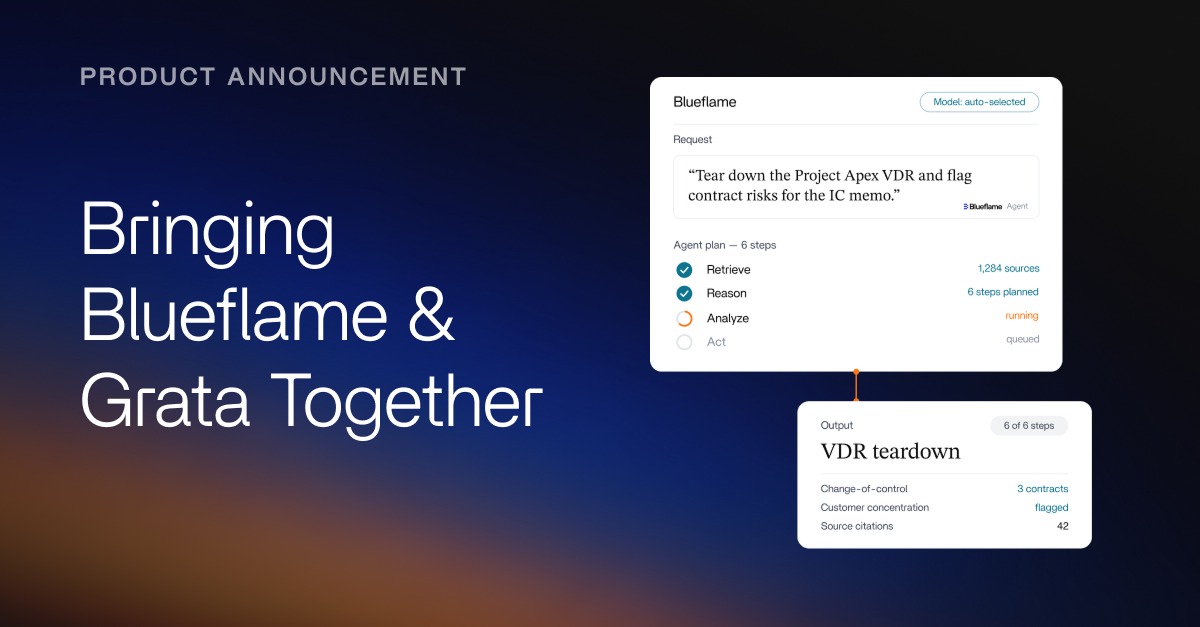

Investment work happens across deals, devices, and dozens of disconnected systems — and every release this month is about closing those gaps. This month’s updates extend Blueflame AI across the systems and devices you’re already using.
Here's a closer look at each and a sneak peek at what's next.
Blueflame AI now connects to Snowflake
Snowflake houses some of the most critical structured data an investment firm owns, including fund financials, portfolio company metrics, deal pipeline data, and operational records.
You can now connect your Snowflake data to Blueflame AI using Blueflame's managed MCP (Model Context Protocol) server. MCP is an open-source standard that enables secure, two-way connections between AI applications like Blueflame AI and external systems.
Blueflame AI's integration with Snowflake enables you to:
- Query any Snowflake table in natural language – no SQL or manual exports
- Receive structured outputs, run backend calculations, and push data updates
- Pull live portfolio performance, cross-reference deal comps, or validate models against warehouse data
The integration makes structured Snowflake data immediately actionable across sourcing, diligence, and portfolio monitoring workflows.
Snowflake is just the start. We are building a library of managed MCP connectors to enterprise systems, including Notion and HubSpot.
As we extend MCP connectors across the ecosystem, Blueflame AI becomes the single layer where scattered data turns into unified, actionable intelligence.
Now available: The Blueflame AI Assistant in your Datasite data rooms
This month marks a major milestone in our strategic partnership with Datasite: Blueflame AI is available inside the Datasite data room for Diligence and Acquire projects. Data room administrators can use Blueflame AI's search and agent capabilities without ever leaving the Datasite platform. The result: live, in-data-room AI — with Datasite's governance, permissions, and security model fully intact.
What the Blueflame AI Assistant can do inside the data room:
- Read and reason over document content without downloading files
- Run semantic search across all VDR content — for example, surface every Change of Control clause across every file in the room
- Smart-rename files with automated date and clause extraction from inside contracts
- Generate financial summaries with inconsistency flagging across documents
- Draft Q&A responses with document citations and management sign-off
- Flag workstream risks and produce audit reports that update dynamically as new documents are added
The Blueflame AI Assistant is live now for Datasite Project Admins, with reviewer access coming soon.
Mobile experience upgrades: iPad and Android tablet support, notifications, and Face ID
We’ve enhanced Blueflame AI's mobile app to further improve how you access and interact with the platform on the go:
- Tablet support: The app now offers full iPad and Android tablet support in both portrait and landscape orientations, delivering the powerful capabilities you rely on, optimized for a larger screen.
- Push notifications: Stay informed in real time when file uploads are indexed, chat or search outputs are ready, or Blueprint outputs are complete, so you never miss an insight.
- Face ID authentication: Logging in is faster and more secure with Face ID authentication, eliminating the need for repeated two-factor authentication after the initial setup.
Coming soon to Blueflame AI: Spaces and Blueflame’s Excel add-in
Beyond this month's releases, we're continuing to extend Blueflame AI to every system, surface, and workflow you rely on. Here’s a peek at what’s coming next.
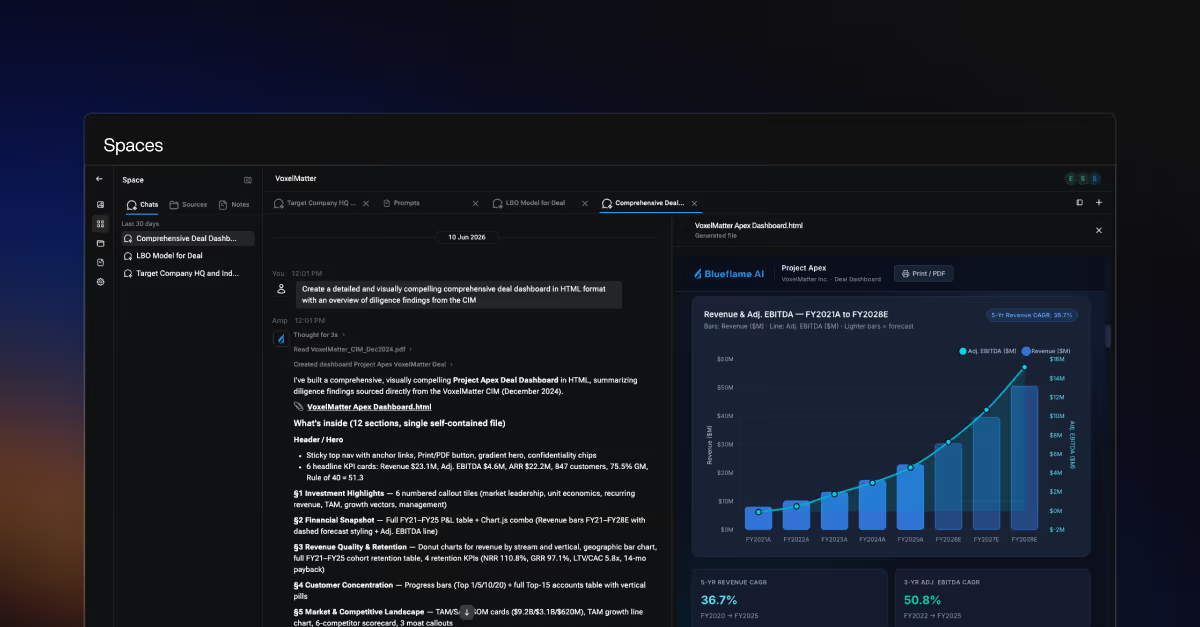
Spaces: A better way for teams to collaborate
Investment professionals collaborate across a fragmented stack — VDRs, SharePoint, Box, CRMs, chat threads, inboxes — and the work suffers from it. Context gets lost between sessions; analysis gets duplicated, and the AI tools meant to help can't see the full picture.
Blueflame AI’s Spaces solve this by bringing the team, the data, and the AI together in one place — so deal, investment, and portfolio teams can finally collaborate the way they've always wanted to.
Spaces are centralized, AI-powered workspaces purpose-built for how teams actually work together on a deal, project, portfolio company, or initiative. Every member of the team works from the same materials, with the same context, in the same environment — asynchronously, securely, and without losing a thread.
The result: less time hunting, reconciling, and re-explaining, and more time spent moving projects forward, together.
Blueflame AI in Excel
Blueflame AI will soon work directly in Microsoft Excel. Embedded as a sidebar in Excel, Blueflame’s Excel add-in will enable you to generate financial models from a single prompt, pull directly from your connected deal data and files, iterate and validate changes, and audit spreadsheets for formula and logic errors – all without leaving your spreadsheet.
Get started with Blueflame AI
This month's releases — and the roadmap behind them — are designed to deepen your connection to the data, tools, and workflows that drive better investment decisions. Whether you're already a customer or just exploring, here's how to dive in:
Existing client?
👉 Log in to Blueflame AI and head over to our Help Center for getting started guides, tips and tricks, and more (ensure your browser allows pop-ups to access the help center link or navigate to the Help button on your home screen).
New to Blueflame AI?
👉 Request a demo to see Blueflame AI in action.